Dropshipping Automation: What to Automate First in 2027
The first dropshipping tasks to automate are product imports, order routing, tracking updates, and routine customer notifications. These are repeatable handoffs with a clear input and output. Keep product selection, pricing decisions, and unusual customer problems under human review. That split gives you a store that moves quickly without making promises nobody checked.
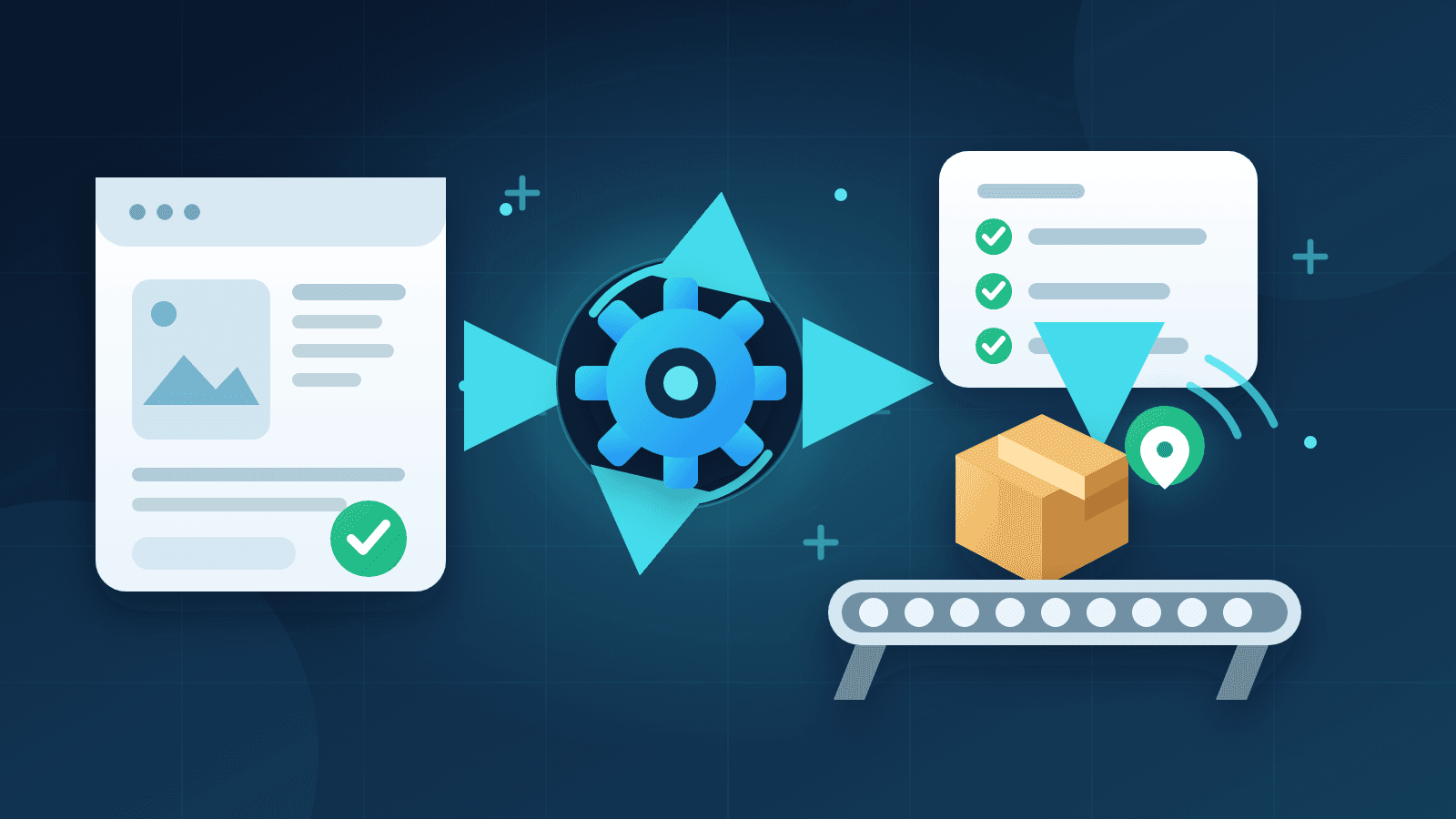
Automation is a sequence of actions. A product is added as a draft to Shopify. It is reviewed and published. A customer places an order and it is sent to the fulfillment service of the user. The tracking information comes back to Shopify and the customer receives the shipment information. Each step eliminates the need for manual copying for the next step. If you are just starting to build out the rest of your business, our realistic guide to starting dropshipping covers the decisions that come before this setup.
The goal is not a store you never open. It is a store where your attention goes to the few things that need judgment. This guide builds the automation sequence in that order, explains where Tradelle fits, and finishes with a short weekly check that catches failed payments, missing tracking, and outdated product details before customers find them.
What dropshipping automation actually means
Dropshipping automation connects routine store tasks so information moves without someone copying it between tabs. A product import carries images and product details into Shopify. An order integration sends a paid order to the supplier. A tracking integration brings the shipment number back. Notifications tell the customer what changed.
Every single automated action needs a reliable trigger. “When a customer pays” is a good trigger for processing an order. “When a tracking number appears” is a good trigger for sending a shipping notification email. “Whenever you feel like checking” is not an automation rule and it creates gaps where your customers actually need an answer from you.
The five parts of a dependable automation chain
- Product setup: import product data, then edit the draft before publishing.
- Order routing: send paid orders to the supplier without retyping addresses.
- Payment handling: charge the seller for product and shipping on a known schedule.
- Shipment updates: return tracking to the store and notify the customer.
- Routine monitoring: surface failed payments, unfulfilled orders, and catalog changes.
Research tools can help decide what to offer, but that decision is not taken out of your hands. Our guide to validating a dropshipping product before buying ads shows the demand, competition, margin, and fulfillment checks worth completing before that product enters the chain.
| Task | Automate | Review manually |
|---|---|---|
| Product import | Draft creation and asset transfer | Claims, variants, price, and positioning |
| Order routing | Paid order sent for fulfillment | Fraud flags, addresses, and failed payments |
| Tracking | Number sync and customer notification | Missing numbers and incorrect carriers |
| Catalog upkeep | Alerts or sync where supported | Supplier cost, stock, and destination terms |
| Customer service | Confirmations and status updates | Damage, delays, returns, and refunds |
Give every automation a failure path
A useful automation definition has five parts: the trigger, the action, the checkpoint, the failure state, and the person who responds. Writing these down takes a few minutes and prevents vague instructions such as "orders are automatic." You need to know which order states are normal, which ones stop progress, and where you will see the problem.
- Trigger: the event that starts the action, such as a paid order.
- Action: this refers to the work that the system is going to perform (i.e. send the order to Tradelle).
- Checkpoint: the record that proves success, such as a Paid status in Order Overview.
- Failure state: the visible sign that needs attention, such as an Unpaid status.
- Owner: the person who is responsible for checking and solving this failure.
Use one order as your worked example
Imagine a customer pays at 9:00 on Monday morning. Shopify records the payment and sends the order through the integration. Your checkpoint is the order appearing in Tradelle without any manual entry. Later, one of the twice-daily charges collects the product and shipping cost. Packing and tracking follow their normal windows. Your job is to watch the state changes, not to repeat work the integration already completed.
Now change one detail: the saved payment method has expired. The customer still has a valid order, but the supplier charge cannot complete. This is why the failure state matters. An Unpaid status and a payment email tell you where to act. Sending the customer a generic "your order is on its way" message would only hide the operational problem for a little longer.
Keep small errors from becoming chain reactions
Connected steps carry mistakes forward just as efficiently as they carry good data. An unchecked variant can become a wrong fulfillment request. An outdated shipping price can distort every order that follows. A missing tracking URL can turn a delivered parcel into a support conversation. Review the earliest checkpoint you can, because correcting a draft or a failed payment is much simpler than repairing the customer experience after several automated steps have run.
For each workflow, decide which states can wait and which ones need same-day attention. A routine paid order can move through its normal processing window. A failed supplier charge, a high-risk order, or a customer address error belongs on the day's review list. This gives automation a practical boundary without checking every successful order by hand.
Start with product imports, not your entire store
Product importing is a safe place to begin because the draft gives you a checkpoint. The software can move images, descriptions, variants, and a suggested price into Shopify. You still decide whether the product belongs in your store and whether the offer makes sense. Publishing stays under your control.
Resist the temptation to import a whole catalog on day one. Ten unchecked drafts create ten pages of generic copy, mismatched variants, and prices you have not verified. Start with one product. Complete the workflow once, then repeat it with the next product only after you understand what happens at each step.
Review the draft before customers see it
Read the title and description as a buyer, not as the person who imported them. Remove supplier language that means little on your store. Check that the photos show the exact variant, the description answers basic use questions, and the shipping promise matches the destination you serve. Confirm that product cost, destination shipping, and your selling price leave enough room for acquisition costs and fees.
- Rewrite unclear product titles and supplier-specific wording.
- Match each variant to the correct image, SKU, price, and stock status.
- Check the estimated delivery time for each country in your campaigns.
- Make sure to check the product cost and the shipping cost before approving the selling price of a product.
- Preview your product pages on a mobile before they go live.
How Tradelle handles the import checkpoint
With Tradelle, open a product and choose Import to Shopify. The product arrives as a Shopify draft in under a minute with photos, text, and a suggested price already filled in. Nothing goes live until you publish it. Keep the Tradelle SKU, the Tradelle Fulfillment location, and the product weight unchanged, since those fields support fulfillment and shipping calculations. You can browse Product Picks when you want a researched starting point, then apply the same editorial review to the draft.

Automate order processing second
Order automation earns its place after the product setup works. The customer pays in your Shopify store, the order reaches the supplier through the integration, and your fulfillment partner begins processing it. You no longer copy the customer's address into a supplier checkout. That removes a repetitive task and a common source of errors.
Shopify also has store-level fulfillment settings. Its order-processing guidance explains when automatic fulfillment fits stores using fulfillment services. Check those settings against your actual workflow instead of assuming that switching on every automatic option will improve it. High-risk orders, incomplete addresses, and failed payments deserve a review path.
Know the order path before you switch it on
For a Tradelle order, the customer pays you first. Tradelle receives the paid order automatically and charges your saved payment method for product and shipping twice a day. The manufacturer checks and packs the order, usually within 1 to 3 business days. Tracking then returns to Shopify automatically. Fulfillment by Tradelle handles the supplier side, while you remain responsible for the storefront offer and the customer relationship.
Tradelle charges for new orders prior to Shopify paying out for the order. Be sure to keep sufficient funds on your saved payment method for the supplier charge to be able to process, even though the sale is profitable. You can find information about payment failures in your email and resolve any unpaid orders as necessary before assuming that the order is being packed.
Test the boring details
Run one test order through the same store, product, destination, and payment path you plan to use. If the order must not ship, turn off automatic fulfillment before placing it. Confirm that the order appears in Order Overview, the payment state changes as expected, and the correct product variant arrives in the fulfillment queue. A five-minute check now is easier than reconstructing a broken order after a campaign starts.

Automate tracking updates and routine notifications
Customers want to know two things after checkout: whether the order was successful and where the parcel is. Automatic confirmations and tracking updates answer both questions without adding a support ticket to every order. They also create a consistent record that you and the customer can open later.
Shopify uses tracking information on fulfilled orders to provide shipment updates through the order status page and customer emails. The exact behavior depends on the fulfillment integration and the carrier data it receives. Shopify's tracking documentation explains those customer touchpoints and the checks for missing numbers or incorrect carriers.
Let the shipment event drive the message
Tracking info generally takes 1-3 business days to post and automatically updates on the Shopify order. The customer is notified via email of shipping status. You can choose to send the email immediately or when the tracking status is updated. Tracking Number Updates removes the need to paste shipment numbers into individual orders. Delivery estimates still vary by product and destination, so use the estimate on the product page rather than a universal promise.
Keep the wording of automated emails consistent with that timing. A shipping email should announce a shipment event, not imply that the parcel will arrive tomorrow. Review the order confirmation, shipping confirmation, and order status page as a complete sequence. If you run post-purchase campaigns, align them with the same events using the workflows in our dropshipping email marketing guide.
Automate answers, not impossible promises
A late delivery needs some context and someone to take action. A damaged item needs some evidence of the issue and some way to resolve it. While routine notifications to customers can advise them of where to start with a problem with a delivery, they should not bring the communication with the customer to a close. Manual intervention by support staff is required for delayed, damaged, wrong and lost orders.

Treat inventory and price automation as a review system
Stock and price connections vary by supplier and integration. Some systems sync changes automatically, while others provide a report or alert. Learn which behavior your supplier actually supports. An imported product is a snapshot, not a guarantee that its cost, variants, and destination terms will remain unchanged forever.
Set a recurring review for every active product. Check the supplier cost, destination shipping, stock, variant availability, and your selling price. If your integration updates prices automatically, add a rule that protects your minimum profit and inspect any changes it makes. If it does not, the manual review becomes even more important. Our dropshipping profit margin guide helps with the math behind that decision.
Do not let a small change travel unnoticed
A supplier price increase can erase margin while your ads keep running. A removed variant can send customers to an option you cannot fulfill. A destination-specific shipping change can make an old delivery message inaccurate. Automation should surface these changes quickly, but someone still needs to decide whether to update the offer, pause it, or replace the product.
Keep these decisions away from autopilot
Anything that impacts the offer you make to your customers must go through human eyes and ears. That includes the products you sell, the content on your web pages, your pricing, your target audience and even your response to negative complaints from customers. While software can amass evidence and move information around, it cannot be held responsible for the commitments made by your online store.
Product selection and page claims
A research score can be used to rule out weak ideas, but it is not sufficient to write a good product page. You must also verify the product details, what is included, and any limitations that would be important to a buyer. Review the generated titles and descriptions before publishing. A beautifully crafted sentence to promote a feature that the product does not have is still a bad product page.
Prices, discounts, and advertising decisions
Recalculate the offer when supplier costs or shipping change. Keep acquisition costs in the decision, and do not let an automatic discount push an order below your minimum profit. The same caution applies to advertising. Automated bidding can spend a budget, but you decide whether the economics and the customer quality justify continuing.
Customer exceptions and refunds
Use saved replies for consistency, then read the actual order before sending one. The correct response to a missing parcel depends on its tracking, destination, and fulfillment state. Our guide to handling dropshipping customer complaints covers the human side of those cases. Tradelle's logistics and sourcing teams handle supplier-side returns, replacements, and refunds, while you handle the customer refund in Shopify.
A 15-minute weekly automation check
Put a recurring review on your calendar even when orders are flowing normally. Automation tends to fail quietly: a payment method expires, a carrier code changes, or a supplier discontinues one variant. A short fixed routine catches those issues while they are still easy to explain.
- Open failed and unpaid orders. Resolve the payment issue or contact the customer.
- Check paid orders that have not processed within expected timeframes.
- Check orders without tracking and shipments assigned to an unexpected carrier.
- Compare the active product costs, variants, stock levels and shipping terms against the corresponding information shown on your online store pages.
- Read recent customer replies to issues with delays, damage, incorrect orders and refund issues.
- Check your order confirmations and shipping emails to ensure they continue to reflect your current delivery terms.
Once a month, place a test order if your workflow or supplier settings changed. Turn off automatic fulfillment first when the parcel must not ship. Watch the order from checkout to the admin record and open every customer-facing message. Record what you checked and what you fixed so the next review takes less guesswork.
Set up your first automated Tradelle workflow
A sensible first setup uses one Shopify store, one product, and one complete test. You can expand after the records and messages line up. This sequence keeps the number of moving parts small enough to troubleshoot.
- Link your Shopify store to enable customers to pay you through the store.
- Add a payment method in Tradelle and keep enough balance for supplier charges.
- Import one product, edit the Shopify draft, and leave the SKU, location, and weight the same as before.
- Verify the variant, selling price, destination shipping, and delivery estimate.
- Place a test order, disabling automatic fulfillment first if it must not ship.
- Check Order Overview, payment status, tracking info sync, and customer email.
- Publish the product and add the weekly automation review to your calendar.
Order Overview provides an operational overview of orders processed and fulfilled after launch. Imported Products outlines what has been sent to Shopify, while Connected Stores provides a centralized view for all connected stores. These screens enable you to inspect your automation without having to create additional reporting spreadsheets.
FAQ: Dropshipping Automation
Can dropshipping be fully automated?
Routine operations can be highly automated, including imports, order routing, tracking, and notifications. Product selection, page claims, pricing, and unusual customer cases still need review. A dependable store uses automation for handoffs and people for decisions.
What should I automate first in dropshipping?
Start with product imports because the Shopify draft gives you a review checkpoint. Next, automate paid-order routing and tracking updates. Add routine notifications and monitoring after you have tested one complete order. This order keeps product errors out of the fulfillment chain.
Does automation find winning products for me?
Research tools can surface demand, competition, store, and advertising evidence, but they cannot guarantee a winner. Use them to narrow the field, then verify the product, margin, supplier terms, and customer angle yourself. Import the product only after those checks.
Should I automate product pricing?
Automated pricing rules can save a lot of time when supplier costs change, provided your integration with your shop supports them. Include the product cost, shipping cost, fees, and minimum acceptable profit. Then check each rule for discounts and supplier price changes and adapt if needed before it becomes unprofitable.
Can I automate customer service?
You can automate confirmations, tracking messages, and basic instructions. Keep delays, damaged products, wrong items, missing parcels, returns, and refunds open to human review. The right answer depends on the order and the evidence. The customer's wording is only the starting point.
How much does dropshipping automation cost?
The cost depends on your store platform, research tools, and fulfillment setup. Start with the fewest connected services that cover your workflow. More subscriptions do not automatically create a better system, and every additional connection is another thing to test and monitor.
How do I test whether automation works?
Place one test order through the real product and checkout path. Turn off automatic fulfillment first if the order must not ship. Check the admin record, payment state, supplier handoff, tracking update, and customer messages. Repeat the test after material setting or supplier changes.
Final Thoughts
Automate step by step: import one product, review the first draft of the product description, test routing of the first paid order, test syncing of the order tracking, and test all messages. Then monitor the failures that you can predict. This will give you a useful automation system without handing over the full control of your online store to a bunch of untested rules.
Tradelle brings product research, Shopify imports, order processing, fulfillment, and tracking into one connected workflow. Set up one product, run the test, and use your time for the work that benefits from your judgment.