Tradelle
ログイン無料で始める

この記事は現在、英語のみで提供されています。

Dropshipping Payments: Everything You Need To Know

読了目安 16分公開日:
Dropshipping Payments: Everything You Need To Know
Tradelle を試す
売れる勝ち筋商品を見つけ、競合を分析し、ストアを自動化できます。
無料で始める

One problem that arises if you dropship is financial management, and part of this is the payment processing system you use. In this article, I will discuss everything you need to know about dropshipping payments.

You will learn:

  • The financial transactions that commonly happen in dropshipping
  • What kind of problems usually happen with dropshipping payments
  • Best dropshipping payment processors you can use

In the end, this article will teach you how to choose a dropshipping payment provider or processor. it will also enable you to forecast potential problems and how you can avoid them.

What Financial Transactions Happen In Dropshipping?

Four main transactions happen when you dropship. These are:

  • Customer pays you
  • You pay the supplier
  • You transfer the money to your bank
  • You pay for other dropshipping expenses

Let us go through each one.

1. Customer Pays You

To receive money from a customer, you need a payment processor or gateway that allows the customer to enter a credit card number to make the payment. This payment process is not something that you can create on your own.

Without a payment processor, you will end up like online sellers 20 years ago. What they did was ask the buyers to send money via Western Union or something equivalent. Some asked the buyers to make a bank deposit to the seller’s bank account.

You cannot do this now. Although it still works technically, society has moved on. They might do this for rare items they see on eBay, but not for casual items that they can easily find on Amazon.

As a dropshipper, you need a payment processor like PayPal, Skrill, Stripe, or Shopify Payments. So, how does this work?

Let us say that PayPal offers its service to your country. The first step is to sign up for a PayPal business account. Once done, you will receive a code.

From here, you go to your online store platform and complete the integration. All platforms like Shopify, WooCommerce, BigCommerce, and others have a list of payment processors that you can use in their system. If PayPal is not on the list, you cannot use it.

As far as integration goes, you are essentially telling the system (Shopify or WooCommerce ) that you want to use PayPal as a way to accept payments. To ensure that the payment goes to your PayPal account, you need to enter the code that you got from PayPal.

Once you have completed everything, any customer who clicks on CHECKOUT will now be able to make a payment. This payment will go to your PayPal account.

Do not worry about the technicalities of this. The online selling platform has already worked it out with the payment processor. All you need to do is to enter the code or follow the process they require.

There are many payment processors out there, and I will show you a few of the best options later. I also need to let you know that many third party payment providers and processors provide services in limited countries only. For example, PayPal is the most popular choice, but it does not provide service to Bangladesh or Pakistan for example.

It means that if you are a dropshipper in Bangladesh or Pakistan, you cannot use PayPal as a payment method for your dropshipping business. Unless you open up a company in a legislation that PayPal supports like the UK, but that’s a topic for another story.

2. You Pay The Supplier

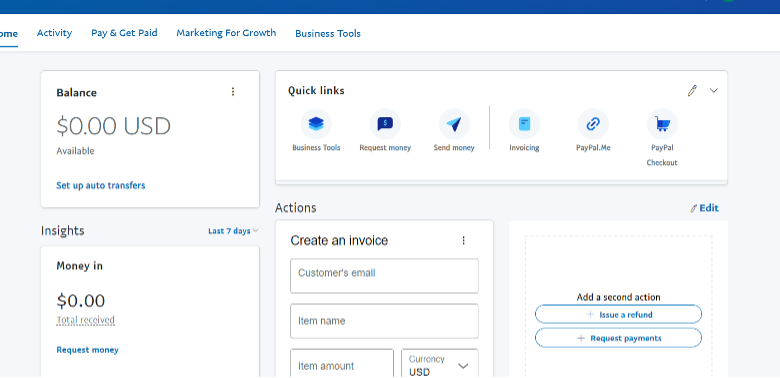
Once a customer pays you, the money should be visible in your payment processor account. For example, it will be visible in your PayPal balance. Mine is empty right now:

The problem is that you cannot use this money to place an order from your supplier. Why? This is because transfers from a third party payment – processor to your bank usually take days.

If it takes days, you will also have to wait for days before you can pay your supplier. Then, you will have to wait for days again for this supplier to pick, pack, and ship the goods to your consumer.

All these waiting results in one thing: delay.

The common way to order from a supplier is to have a credit card. Once an order is placed in your dropshipping store, you go to your supplier’s website and place the order. You will pay for this order using your credit card. Essentially, you are “fronting this payment.”

There is a better option, though. It is called Tradelle. Within Tradelle, you can automate the whole thing and not even be directly involved with paying the supplier.

Here is what happens if you use Tradelle for dropshipping:

  • You create a Tradelle account
  • You import products from Tradelle to your store
  • You add a credit card number to your Tradelle in your account
  • The customer places an order in your dropshipping store and pays you for it
  • Tradelle’s system gets an instant notification
  • Tradelle’s system charges your credit card automatically for this order
  • The seller gets notified right away that a payment has been made
  • The seller ships the time even if you are still sleeping

So, you wake up and see that there are already orders processed. This process is called dropshipping automation, and Tradelle is one of the few companies that does this.

Credit cards also make it possible for you to stay liquid. Utilizing the credit limit of your card is feasible because you are aware that the payment has already been made and the funds are en route to your bank. This approach allows you to resolve short-term liquidity issues by effectively taking out a short-term loan.

3. You Transfer The Money To Your Bank

One transaction you must do is to transfer the money from your payment processor to your bank account. Each payment processor has its way of doing this, and they all have varying wait times plus fees.

I do not recommend that you transfer daily. What I recommend is you transfer regularly, like weekly or every two weeks. The factors you must consider in setting this transfer timeline are:

  • Your current cash or credit card limit for fronting orders
  • Days it takes for the money to move to your bank account
  • The fees associated with the transfer

As far as fees go, many payment processors charge two fees. The first is the receiving fee—you get charged this fee every time a payment moves from your customer to your payment processor account. The second is the bank transfer fee. Most payment processors waive the transfer fee if you transfer a minimum amount to your bank,

4. You Pay For Other Dropshipping Expenses

Finally, you need a credit card to pay for your dropshipping expenses like the following:

  • Subscription plan for the platform
  • Marketing expenses
  • Expenses for artists and workers or virtual assistants
  • Subscription to dropshipping apps like MailChimp

You do not need to pay for all these. The one thing you will certainly pay for is your Shopify subscription. your store will not exist unless you pay the subscription.

Best Dropshipping Payment Methods

The best dropshipping payment methods you can use are:

  • Shopify Payments
  • PayPal
  • Stripe
  • Square
  • Skrill

Let us take a look at each one.

1. Shopify Payments

Shopify Payments was built for the Shopify universe. They made sure that dropshippers and other e-commerce entrepreneurs do not have to go through any hassle when setting up online payments for their stores.

Pros of using Shopify Payments

  • You can accept payments instantly
  • Customers can pay with credit cards, Google Pay, Apple Pay, etc.
  • There is a reporting dashboard

Cons of using Shopify Payments

  • Your bank account must be a checking account
  • There is a transaction fee

While Shopify Payments is free to use, you cannot use it unless you build your store in Shopify. The one thing you will love about it is that it is so easy to set up.

Shopify Payments also has a default fraud detection system. As a seller, you should be happy with this feature, as it saves you from the headaches of dealing with scammers. For one, they have an address verification system. If the shipping location of the “buyer” differs from the credit card’s billing address, the transaction will not go through.

2. PayPal

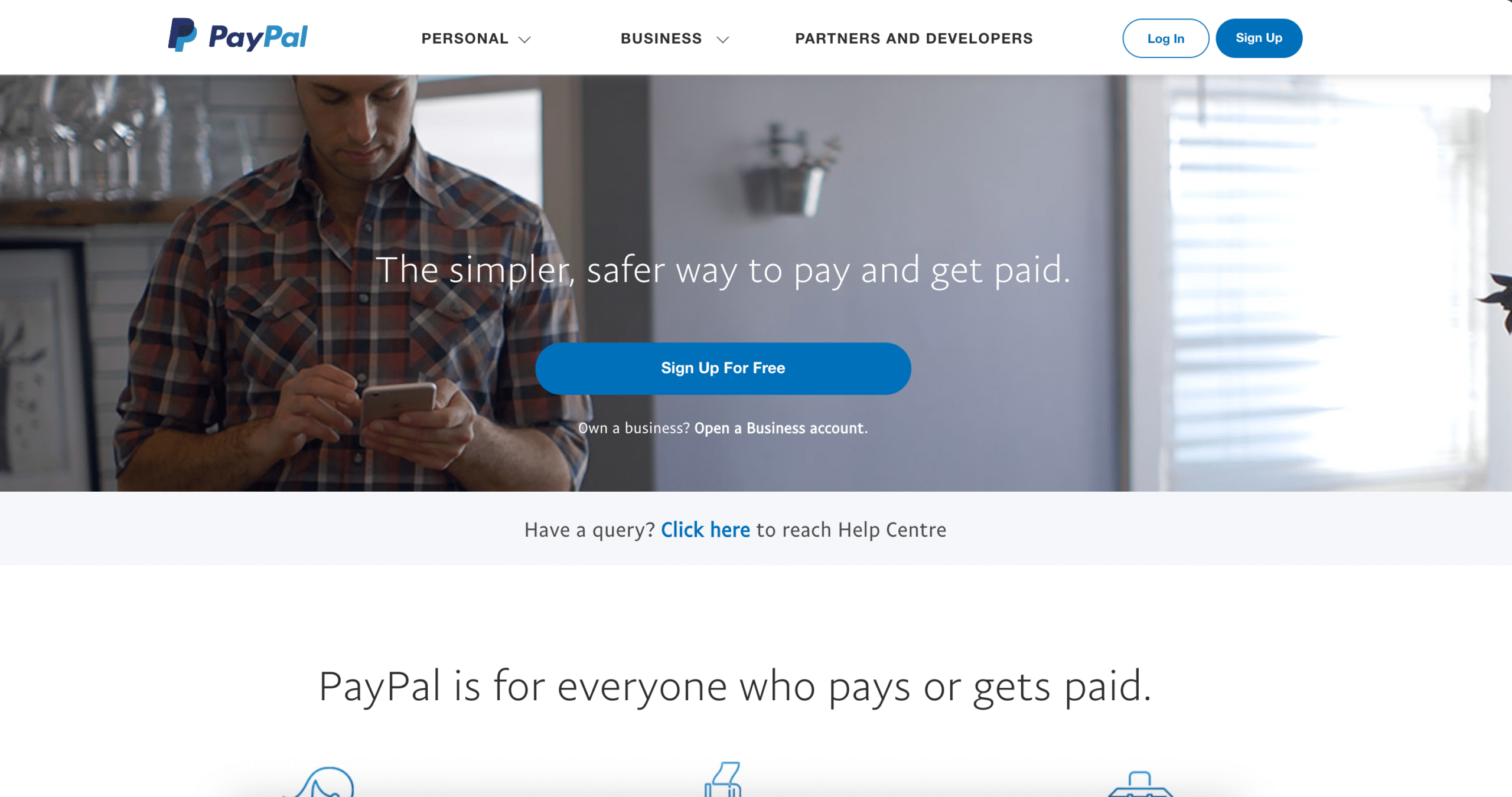
PayPal landing pagePayPal landing page

PayPal has been around for a long while. It is the company that revolutionized the way we pay for transactions online. I remember using it back in the early 2000s and was amazed at what it did. Today  PayPal has become synonymous with sending and receiving money online.

Pros of using PayPal

  • Global payment processing capability
  • Can be used for recurring sales
  • You can offer a Buy Now, Pay Later type of transaction
  • Available in many currencies

Cons of using PayPal

  • PayPal tends to put money on hold
  • The fees can be confusing

PayPal is the better option as a beginner if you want to droship. It is easily accessible and convenient to use. The only caveat is the freeze hold. There are many stories out there where PayPal froze the dropshippers’ accounts for up to 90 days.

3. Stripe

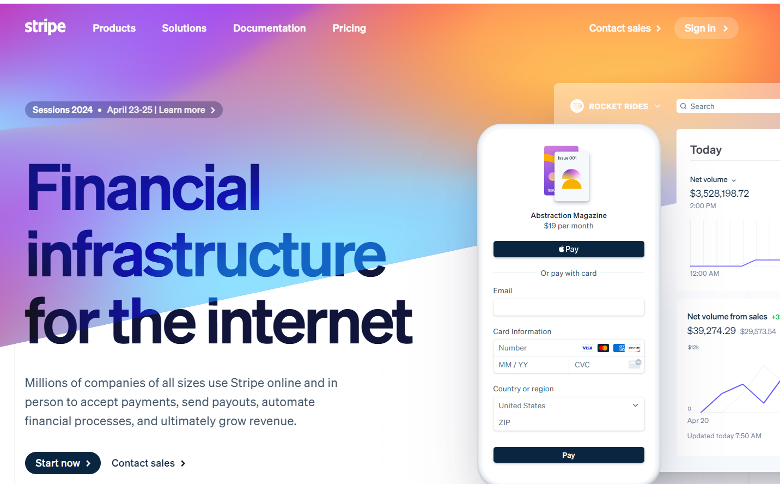
Stripe is like PayPal where people can send and receive money online. You can also use it to automate financial processes like paying your bills.

Pros of using Stripe

  • You can accept payments from global customers
  • There is a way to automatically calculate taxes and VAT
  • It is possible to create a recurring subscription payment (great for dropshippers of food supplements)
  • You can issue cards with Stripe (physical cards that customers can use to buy)

Cons of using Stripe

  • Lots of fees; the fees are confusing

Another thing worth mentioning here is that you can integrate Google Pay, Apple Pay, and other wallers with Stripe. It means that you no longer need to set up these different payment methods. Set up Stripe only, and your customer can pay you with Google Pay or Apple Pay.

4. Square

Square is a multi-payment system you can use to charge customers online and offline. You can also use Square to accept payments from a social media store, like Facebook.

Pros of Using Square

  • You can use Square to charge people from your phone
  • Moving money to your bank is instant
  • It is possible to set up automatic bank transfers to your bank
  • You can apply for a loan from $300 to $250,000

Cons of Using Square

  • They charge several fees
  • You must pay a subscription to get most of the system

As far as instant transfers go, you will pay a fee of 1.75% of the amount you are moving to your bank account. This may not sound like a big amount, but keep in mind that you will also pay around 1.75% to 2.5% fee for every payment you receive from the customers.

5. Skrill

Skrill is one of the biggest European payment processors. We can think of it as Europe’s PayPal. Skrill works with Shopify, WooCommerce, and many other platforms for e-commerce. Some people say that Skrill is primarily used for gambling, but the company has branched out of the gambling industry many years ago.

Pros of using Skrill

  • The transaction fee can be as low as 1%
  • The system screens for fraudulent transactions
  • You can transact in 40 currencies

Cons of using Skrill

  • It is not easy to get approved
  • Withdrawal fees can be expensive

You have to apply before you can be approved to use Skrill for your online business. Although it is easy to set up an account, it does not automatically mean that you can use it to receive online payments.

One thing you need to watch out for is the currency conversion fee. Skrill charges 3.99% for this. In addition, the company charges 25 EUR for chargebacks.

How To Choose A Dropshipping Payment Method

There are many dropshipping payment methods and systems you can use. While some are mostly preferred, it all boils down to what you need. Not all payment methods are created equal, so below is a list of guidelines that you must consider when choosing a shipping payment method.

1. Transfer Time to Your Bank

The money your customer pays does not automatically get to your bank account. This money sits in their bank account and will not move to yours until you initiate the transfer.

Here are the most common timelines that payment processors take:

  • ACH or bank transfer – up to three business days (this is the most common)
  • Instant Bank Transfer – in a few minutes or same-day
  • Paper Check – between five and seven business days
  • Wire Transfer – more than four business days

ACH is usually free, provided you meet a minimum amount to transfer. The rest have accompanying fees, and these fees vary from one processor to another.

2. Cost Of Receiving Fees And Conversion Fees

Payment processors charge fees and this is how they earn money. Since payment processors are private businesses, they have varying fees.

Here are the most common examples:

  • PayPal – at least 3.9% of the transaction cost
  • Stripe – 2.9% plus 30 cents if the transaction is domestic; fees vary for international payments
  • Shopify Payments – between 0.6% and 2% per transaction

On top of these fees, you will also pay international fees, conversion fees, etc. Some will even charge you for the system. For example, if you use Shopify POS, you will pay $89 per location. There is no getting away with these fees, so I suggest that you carefully do the math and factor in these fees.

3. Policies About Seller Protection

You must choose a payment processor that has reasonable expectations from its sellers. Seller protection means that if you provided adequate proof that you shipped your item, the buyer cannot win a dispute.

One common problem many years back was that if a buyer complained that he did not receive the item, the seller would not get the money, even if the seller shipped the item. Usually, the payment processor always sided with the buyer.

At that time, most sellers lost to these fraudsters. The buyers pretended they never got the item even if they did.

4. Integration Options

Choose a payment processor that can integrate with the platform or platforms you choose. For example, you can use PayPal on both Shopify and WooCommerce, but you cannot use Shopify payments in WooCommerce.

Your location is crucial to making this choice. Before you decide:

  • Ensure that the payment processor accepts debit card payments to sellers from your location
  • Ensure that the payment processor allows the transfer of money to your local bank account

Finally, you can check your desired e-commerce platform if it accepts your chosen payment processors. If not, you either find a new payment processor or a new e-commerce platform that allows you to integrate your preferred payment processor.

5. Payment Options For Buyers

Finally, choose a payment processor that can also process payments from multiple credit cards. Here are the most widely used credit card systems in the world:

  • Visa
  • Mastercard
  • American Express

For the US, you will come across cards like Chase, Capital One, Citi, etc. Your primary goal is to accept the first three.

What if your payment processor can only accept a few? The solution to this is to use multiple payment processors. In dropshipping, you are not limited to only one choice. For example, you can use PayPal, Google Pay, and Apple Pay in the same store.

Common Problems With Dropshipping Payment Methods

While payment systems are a lot better now than they were before, it does not mean there are no issues. In this section, I will discuss the most common dropshipping problems when it comes to payments.

  • The payment processor rejected you – if this is the case, you must look for another payment processor. Not all payment processors want to work with dropshippers. As such, your only course of action is to choose another one.
  • The fees are too high – you need to shop around for the best payment processor that charges the least amount of transaction fees. The alternative to this is you accept payments in USD if your primary target market is the US. Do this and you should be able to avoid currency conversion fees.
  • The integration does not work – likely, you are not diligently following the instructions. If this is the case, contact either your dropshipping platform is your payment processor. They will help you sort this out.

One of the biggest problems that dropshippers face, especially when they use PayPal, is that their money is put on hold.

What does this mean? PayPal puts the account in restricted mode or status. Because of this, the dropshipper cannot access the funds—cannot withdraw them to the bank account.

Why does PayPal do this? PayPal does this to ensure that the seller (the dropshipper) ships the item to the buyer. The only way you can do that is to send screenshots of your shipping documents to PayPal, per transaction.

If not, you have to send PayPal a shipping tracking number per transaction. PayPal will then validate this information. If they are convinced that you are a legit seller of physical goods, then they will release your funds.

Prepare yourself for these problems—you will certainly face one of them. My recommendation is to first do thorough research about your chosen payment processor. There are many YouTube videos and blog articles out there that relate to a payment processor and dropshipping. I also recommend that you ask questions on Reddit or Quora.

FAQ: Dropshipping Payments

What is the best payment method for dropshipping?

Right now, the two best options for dropshipping payments are PayPal and Shopify Payments. The big difference is that Shopify Payments charges different fees based on the credit card that a customer uses.

How do I get paid for dropshipping?

You get paid by using a payment processing system like PayPal. Once the money is in your PayPal account, you can transfer it to your bank account.

How are suppliers paid for dropshipping?

You pay them with your credit card. You can also automate the whole system if you use Tradelle.

What are the benefits of using a credit card for dropshipping?

As a seller, I recommend that you use a credit card to build your credit rating and earn points for rewards. More importantly, credit cards make money liquid, meaning you can easily spend it at any time. With payment processors, it can take you days to convert that digital cash into real cash.

Final Thoughts

What I recommend you do now is to check the various payment providers and processing systems I recommended earlier. Find out if they provide services to your country of residence, and if they can integrate with your preferred dropship store platform.

Next, I recommend that you try Tradelle. It is free to sign up—use this free account to explore and see what amazing things it can do for your business!

Tradelle を試す
売れる勝ち筋商品を見つけ、競合を分析し、ストアを自動化できます。
無料で始める

Aaron Matthew Ang

Aaron Matthew Ang
E-Commerce Writer at Tradelle
シェア:
Tradelle を試す
売れる勝ち筋商品を見つけ、競合を分析し、ストアを自動化できます。
無料で始める

EC 業界で話題の記事を読む

  • What Is Dropshipping & How Do You Get Started?

    General
    What Is Dropshipping & How Do You Get Started?
    Understanding dropshipping and steps to launch your own online business
    読了目安 16分
  • Your Guide On How To Find Winning Products On AliExpress

    Product Research
    Your Guide On How To Find Winning Products On AliExpress
    Discover top strategies to identify high-demand, profitable products on AliExpress
    読了目安 15分
  • 13 Ways To Drive Traffic To Your Dropshipping Store

    Marketing
    13 Ways To Drive Traffic To Your Dropshipping Store
    Learn about strategies that drive traffic to your store, including effective advertising practices
    読了目安 23分
  • 12 Ways To Increase Shopify Sales

    Store Optimization
    12 Ways To Increase Shopify Sales
    Learn about several proven methods to increase your store sales
    読了目安 16分

2017年のドロップシッピングはもう終わり

サプライヤーはどこかと聞かれたとき、個人エージェント、AliExpress、あるいは AliExpress で代わりに買うだけの自動化ツール、と答えるしかないとしたらどうでしょうか。今は2026年です。お客様も、売上も、利益も、きっと応えてくれます。